
The HBO Max app makes it easy to find a new show or movie to watch. With parental controls built right in, ensuring younger viewers only see content appropriate for them takes just a few seconds. Regardless if someone is using HBO Max on their phone, computer, or smart TV, parental controls can be enabled in the blink of an eye.
HBO Max first hit the market in May 2020. It faced a rocky launch thanks to a lack of device support and confusion between other HBO apps, but in the time since then, HBO Max has come into its own. It’s now available on virtually every platform, the old HBO GO and HBO Now apps have been laid to rest, and subscribers now have two plans to choose from — $9.99/month with ads or $14.99/month for ad-free viewing. HBO Max still isn’t perfect, but it’s come a long way since day one.
Of all the features found in the HBO Max application, one of the best is its support for parental controls. For people that have the service and want to make sure it’s safe for their kids to use, enabling parental controls is quite easy — regardless of which device someone is using. From the HBO Max app on an iPhone or Android device, HBO says to open the HBO Max app, tap the profile icon on the bottom navigation bar, tap the settings icon at the top-left of the screen, and tap ‘Parental Controls.’ From the HBO Max website on a computer, click the profile name at the top-right corner and click ‘Parental Controls.’ Lastly, for people using the HBO Max app on a smart TV, navigate to the left navigation menu, select the profile name at the top-left of the screen, and go to ‘Parental Controls.’

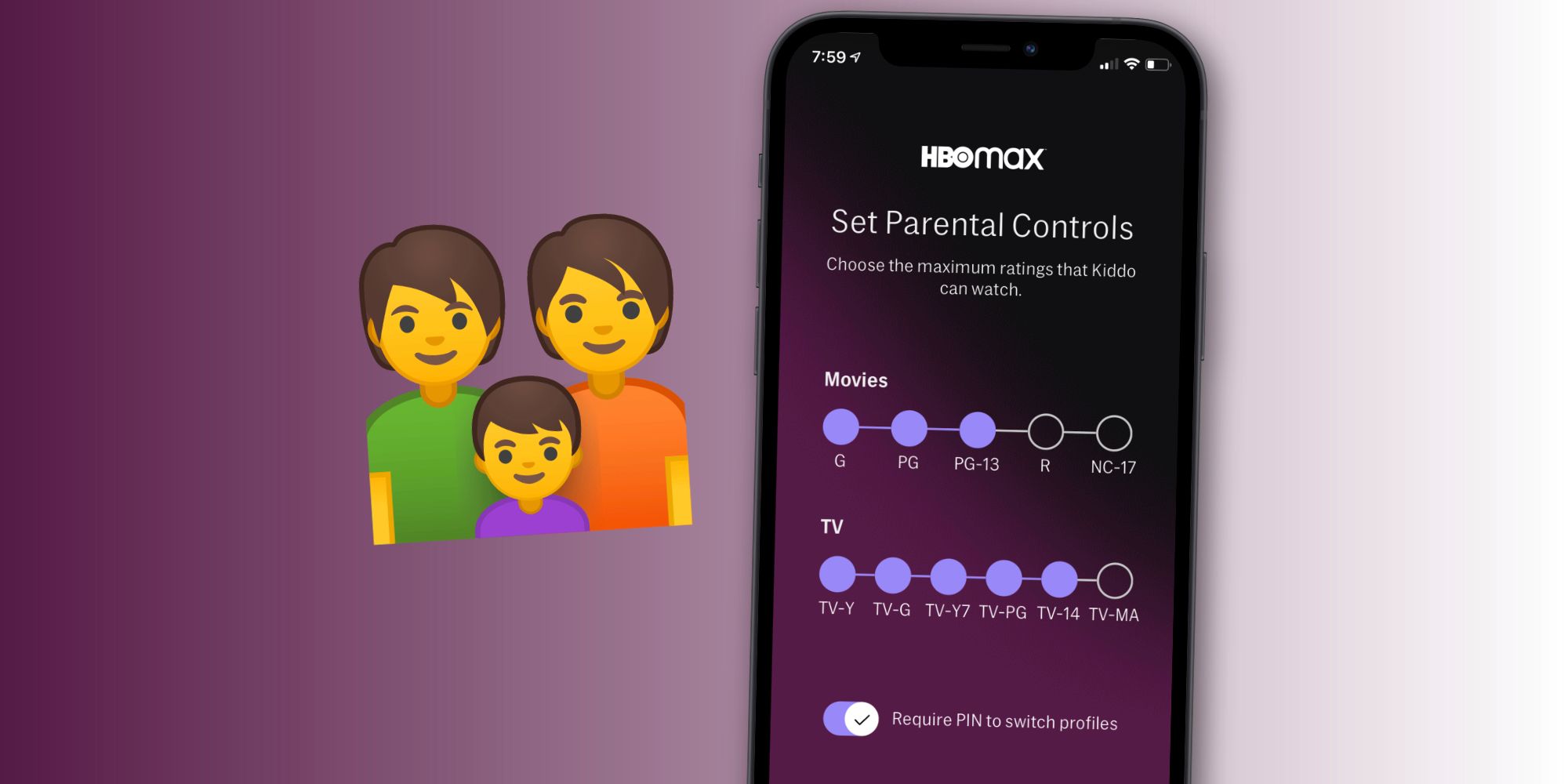
Once users are at the Parental Controls page on their preferred device, the rest of the setup process is virtually identical. Enter a four-digit PIN of any number combination, select ‘Create PIN’ to save it, and then select ‘OK’ to confirm the change. With that done, find the ‘Switch Profiles’ button, select that, and select ‘Kid.’ Enter a name for the kid profile, their date of birth, and select ‘Next’ to go on to the next step. This then takes users to a ‘Set Parental Controls’ page where they can choose the maximum content ratings of titles their kid is allowed to watch. HBO Max allows parents to set separate content ratings for movies and TV shows, which can be helpful given the different rating scales each one uses. Movie ratings can be set to G, PG, PG-13, R, and NC-17. TV show rating options include TV-Y, TV-G, TV-Y7, TV-PG, TV-14, and TV-MA. If a parent chooses PG-13 and TV-14 for their teenager, for example, they’ll be able to watch anything at or below those ratings and nothing above them.
Last but not least, make sure the ‘Require PIN to switch profiles’ toggle is turned on. This requires someone to enter their PIN to switch profiles on HBO Max, ensuring sneaky kids can’t switch to their parent’s profile undetected. As such, it’s a good idea to make sure that PIN isn’t something a kid can easily guess. If they do happen to figure out what it is, the PIN can be reset at any time by visiting the same Parental Controls page mentioned above.
Source: HBO Max
from ScreenRant - Feed https://ift.tt/3jGEwZm


0 Comments